
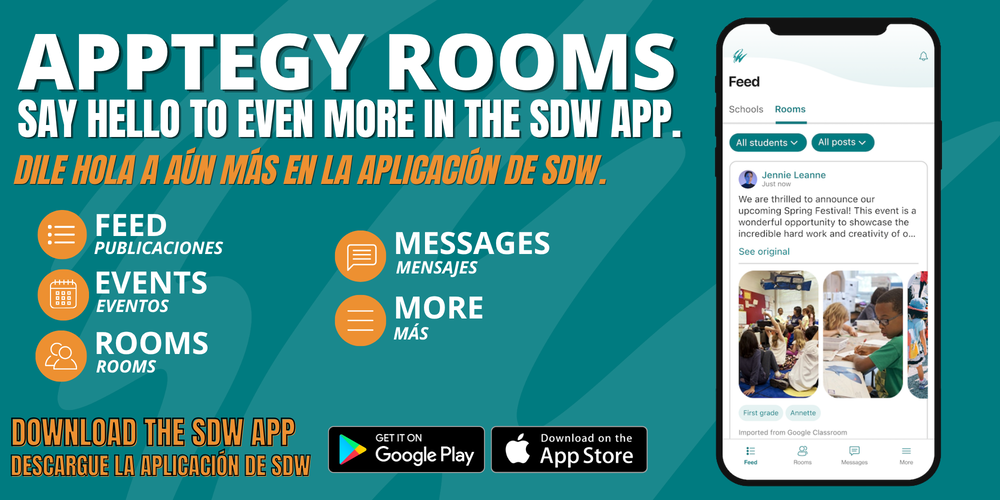
Rooms is a secure communication tool that offers two-way messaging between guardians and school staff within one platform. Rooms can be accessed through the SDW app, where you'll receive important announcements, teacher messages, school news, and events - all at your fingertips.
Guardian Invite
Guardians received an email and SMS message on Monday, Aug. 24, inviting you to log in to Apptegy Rooms within the SDW App. Below is additional information regarding the Guardian Invite:
SMS Message:
Rooms SMS notifications: 27806 - SMS text notifications will be sent from this short code when a parent/guardian has a new message from their child's teacher.
Rooms verification/invitation codes: 20819 - SMS Guardian Invite and invite reminder notifications will be sent from this short code.
Email:
Check for an account setup invitation from accounts@thrillshare.com, featuring official district branding. Please follow the steps outlined in that email to complete your setup. View the Guardian Invite Flyer for additional information.
If you haven't received an invitation yet or are having difficulty logging in, please contact your student's school administrative assistant.
How to Get Started
Download the District App: Search for School District of Waukesha (and look for our W logo) in the App Store or Google Play Store.
No Extra Download Needed: Rooms is built right inside our district app. Simply open the app and switch to Rooms with one click.
Prefer a Computer? You can also log in from any web browser here.
Note: Please ensure your phone’s operating system is up to date for the best experience.
Frequently Asked Questions
Who can use Rooms? While our district app is public, Rooms is a secure space reserved for active families and staff. Access requires a login.
Is Rooms free? Yes! Rooms is completely cost-free for all guardians and staff.
What if I am both a staff member and a Guardian? Staff members use the Thrillshare app for publishing classroom content. If you are also a district guardian, please download both apps and register your parent Rooms account using your personal email address. View this flyer for more information regarding staff and guardian access.
Important Additional Resources
View this flyer for additional information regarding the SDW App, notifications, language preferences, and subscribing to your student's school.
Apptegy Rooms Resources
Have Additional Questions?
If you have trouble accessing Rooms or have questions, please reach out to your student's school administrative assistant.